

- Joined
- Oct 7, 2025
- Messages
- 1,454
- Reaction score
- 992
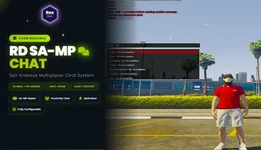
Relive the nostalgic San Andreas Multiplayer experience on your FiveM server!
Authentic SAMP styled chat system with Global & RP modes, anti-spam protection, chat history, and universal framework support.
 Key Features

- Exact SA-MP colors (#99cc00, #ff4444, #ffbb33, #33b5e5)
- Classic text shadows - Multi-layered just like the original
- Verdana font - The iconic SA-MP font
- Smooth animations - Fade-in messages & fade-out input
- Perfect positioning - Top-left corner, just like SA-MP

- Global Mode: Everyone sees all messages (like GTA Online)
- RP Proximity Mode: Only nearby players see messages (realistic roleplay)
- Configurable distances: Normal (15m), Shout (30m), Whisper (5m)
- Switch on-the-fly via console command

- Message delays: Configurable cooldowns (default 1.5s)
- Auto-mute: Automatic punishment for spammers
- Link blocking: Prevents external links
- Admin bypass: Admins skip all delays

- Arrow keys: Press ↑/↓ to navigate previous messages
- 50 message buffer: Stores your last 50 entries
- Smart system: Auto-completes and positions cursor
- Quick repeat: T → ↑ → ENTER to resend

- /me - Roleplay actions (purple)
- /do - Environment descriptions
- /shout or /s - Shout to distant players (red)
- /whisper or /w - Whisper to close players (grey)
- /ooc - Out of character (always global)

 QBCore - Auto-detected
- ESX - Auto-detected
- Standalone - Works without framework
- Zero configuration needed!

- Auto-fetch all FiveM commands
- Smart suggestions when typing "/"
- Click to complete any command
- Real-time filtering as you type
 What's Included

- sv_chat.lua - Server logic
- cl_chat.lua - Client logic
- chat.html - UI interface

- config.lua - FULLY EDITABLE

- Change chat mode (Global/RP)
- Adjust all distances
- Set message delays
- Configure anti-spam
- Enable/disable features
 Installation
- Extract to resources/rd-chat/
- Edit config.lua to your preferences
- Add ensure rd-chat to server.cfg
- Restart server
- Done!
Configuration Highlights
-- Chat Mode<br>Config.ChatType = "rp" -- "global" or "rp"<br><br>-- Distances (RP Mode)<br>Config.ProximityDistance = 15.0 -- Normal chat<br>Config.ShoutDistance = 30.0 -- /shout<br>Config.WhisperDistance = 5.0 -- /whisper<br><br>-- Anti-Spam<br>Config.MessageDelay = 1.5 -- Seconds between messages<br>Config.SpamLimit = 4 -- Messages before mute<br><br>-- Features<br>Config.BlockLinks = true -- Block external links<br>Config.AdminBypass = true -- Admins skip delays<br><br>Everything is customizable via config.lua!
 Pricing

- Protected core files
- Full access to config.lua
- Lifetime updates
- Community support
- Perfect for server owners!

- Complete unprotected source
- Edit ANY file (server, client, HTML, CSS, JS)
- Lifetime updates
- Priority support
- Perfect for developers!
 Why Choose This?
Universal - Works with QBCore, ESX, Standalone Authentic - Exact SA-MP styling Feature-Rich - More than any other SA-MP chat Easy Setup - Install in 5 minutes Fully Configurable - Customize everything Active Support - Fast developer responses Perfect For
- RP Servers - Realistic proximity chat
- Casual Servers - Global chat mode
- SA-MP Veterans - Feel right at home
- Any Framework - QBCore, ESX, or Standalone