

- Joined
- Oct 7, 2025
- Messages
- 1,454
- Reaction score
- 905
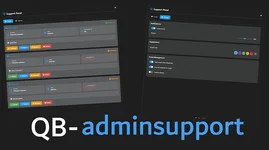
Features
- Modern and intuitive admin panel interface with customizable settings page
- Support ticket system with real-time updates
- Customizable notifications for all ticket actions
- Individual sound settings for each admin
- Anti-spam protection with configurable cooldown
- Multi-language support (English and German)
- Ticket status tracking (pending/accepted)
- Admin assignment system
- Location-based features (teleport/waypoint)
- Customizable chat messages and notifications
- Individual admin notification toggles
- Admin visibility settings (show/hide admin names in notifications)
- Smart notification system to prevent duplicate messages
- Configurable admin status display
- Discord webhook notifications for new tickets
Commands
- /support [message] - Create a support ticket
- /ap - Open the admin panel (admin only)
- /noadmin - Toggle admin notifications (admin only)
How it Works
For Players
- Create a ticket using /support [your message]
- Wait for an admin to accept your ticket
- Receive notifications about ticket status changes
- Get informed when an admin accepts your ticket
- See consolidated messages when no admins are available
For Admins
- Access the admin panel using /ap
- View all active tickets in real-time
- Accept tickets to claim them
- Use various ticket management options:
- Teleport to player
- Set waypoint
- Accept/Unassign tickets
- Delete resolved tickets
- Toggle notification mode with /noadmin
- Customize personal notification settings in the admin panel
- Configure visibility settings for admin names
- Access the settings page for additional customization