

fivemshare
Legendary Member
- Joined
- Oct 7, 2025
- Messages
- 1,445
- Reaction score
- 660
Features
Core Features
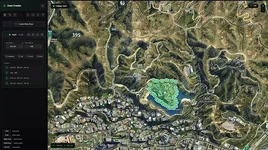
- Interactive Map - Click to place zone points on a high-resolution GTA V satellite map
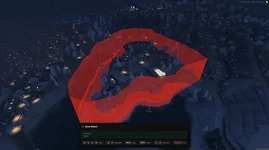
- Real-time 3D Preview - View your zone in-game with a free-fly camera system
- Multiple Export Formats - Export to PolyZone, ox_lib, vector2, or vector3 formats
- Import Support - Paste existing zone code to edit and visualize zones
- Grid Mode - Displays a grid overlay and snaps points to 10-unit intervals.
- Auto Ground Z - Automatically calculates ground height at the zone center
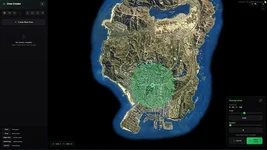
- Multi-Zone Management - Create and manage multiple zones in a single session
| Shape | Description |
|---|---|
| Rectangle | 4-point square/rectangular zone |
| Circle | 16-point circular approximation |
| Triangle | 3-point triangular zone |
| Pentagon | 5-point pentagonal zone |
| Hexagon | 6-point hexagonal zone |
| Star | 10-point star shape |
| L-Shape | 6-point L-shaped zone |
All templates support:
- Drag to Position - Drag the center marker to reposition the shape
- Scale Slider - Adjust the size from 5 to 3000 units
- Rotation Slider - Rotate the shape from 0° to 360°
Point Management
- Click on Map - Add a new point to the active zone
- Drag Points - Click and drag any point marker to reposition it
- Right-click Point - Delete a single point
- Click on Polygon Edge - Insert a new point on the closest edge
- Shift + Drag - Box select multiple points
- Delete Selected - Remove all selected points at once